How to Turn Photos Into Polaroids: 4 Ways, Ranked
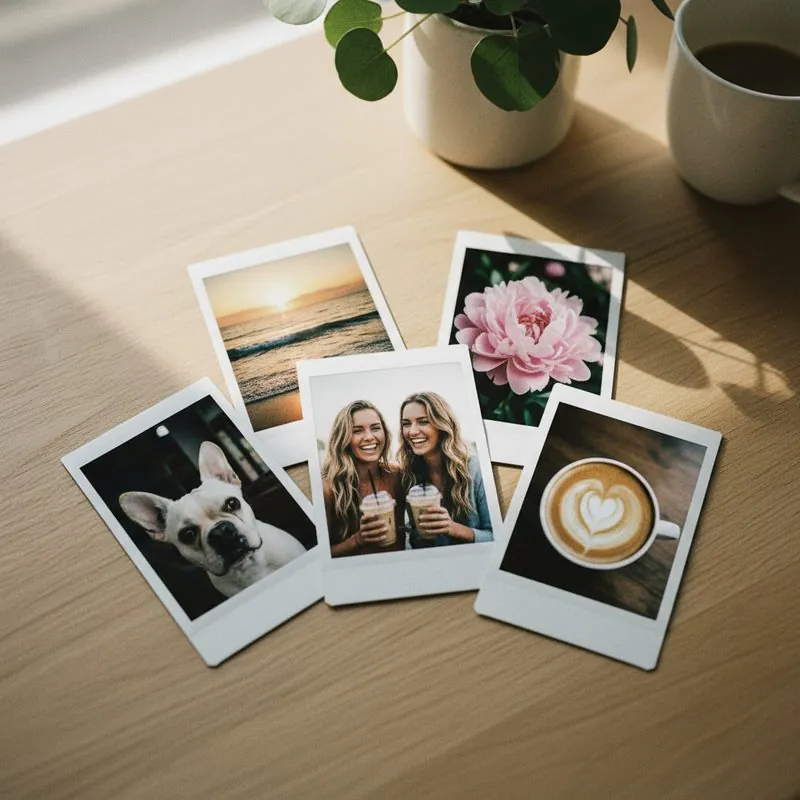
There are four ways to turn photos into polaroids, and they do not hand you the same object. You can order prints on real Fujifilm Instax film and have them mailed to you, buy a pocket printer and print onto film yourself, print polaroid-style photos on glossy paper at home or at a drugstore kiosk, or add a polaroid frame digitally and never print at all.
Only the first two give you genuine instant film — a stiff, glossy sheet with a real raised border. The third is a paper imitation that photographs well and reads flat in person. The fourth lives on your screen. Here is each method in order of how close it gets to a real polaroid picture, with what it costs and how long it takes.
Method 1: Order real instant film prints online
Best result. No equipment. Not instant.
This is the one we run. You send us the photos already on your phone, we print them on genuine Fujifilm Instax film, and they arrive in your mailbox. No camera, no printer, no app to install. Here is the whole process on our order page:
- Pick a format and a pack. Mini (2.1" x 3.4") or Square (2.4" x 2.4"), in packs of 5, 10, or 20.
- Upload from your camera roll. Select photos straight from your phone — the wizard runs in the browser, so there is nothing to download.
- Crop and choose a filter. Drag each photo to reposition it inside the frame, then pick Original, Instant, Vintage, Film, or Dreamy. The preview is exactly what gets printed.
- Choose a border. Classic White or Monochrome black and white. More styles are coming as we stock more film.
- Check out. Card payment through Stripe, and that is the last thing you have to do.
- Watch the mail. We print and ship within 5 business days, free, USPS with tracking.
Cost: Mini prints start at $18 for 5 ($3.60 each), $28 for 10, or $45 for 20 — which lands at $2.25 a print. Square prints start at $22 for 5. US shipping is included in every price, so the number on the pricing table is the number you pay.
What you get: the same film stock an Instax camera loads. It has thickness you can feel, a deep gloss that catches light, and a real white border — not ink printed to look like one. The border arrives blank so you can date it or write on it yourself.
The honest downsides: it is not instant. You are waiting on printing plus USPS transit, so plan on one to two weeks from order to mailbox. And we ship to US addresses only right now. If you need prints in your hand tonight, skip to Method 2 or Method 3.
If you want the longer version of how the digital file becomes a physical sheet of film, our digital to polaroid page walks through it.
Method 2: Buy an Instax or Polaroid phone printer
Real film, genuinely instant, high cost up front.
A phone printer is a pocket-sized device that connects over Bluetooth, takes the photo from your phone, and exposes it onto a sheet of instant film. The print slides out and develops in front of you in a couple of minutes. It is the same film you would get from us — you are just doing the printing.
Rough pricing as of late 2026: the Instax Mini Link 2 sits around $100 to $120, the Instax Square Link usually lands somewhere around $150 to $165, and Fujifilm introduced the Mini Link+ in early 2026 at about $170 MSRP. Film is the ongoing cost — roughly $0.85 to $1.00 a sheet for Mini and about $1.25 to $1.50 for Square, depending on where you buy and whether you catch a twin pack on sale.
A printer makes sense if you print constantly: parties, a scrapbook habit, a classroom, a photo booth setup at events. The device pays for itself somewhere around 85 to 90 prints compared to ordering, and only if you actually print that many. It makes less sense if you want twenty prints for a wall once a year, because you are buying a gadget, charging it, keeping film in stock, and doing the trimming and troubleshooting yourself. We broke down the math in is an Instax printer worth it.
Skip the printer, keep the film
Upload your photos and we print them on genuine Fujifilm Instax. From $18 for 5, free US shipping.
Create Your Prints →Method 3: DIY polaroid-style prints at home
Cheapest and fastest. Paper, not film.
You can fake the format convincingly for a few dollars. The trick is adding the frame digitally first, then printing the framed image as a normal photo.
- Open our free Polaroid Frame Generator, upload a photo, choose Mini or Square, pick a border style and filter, and download the framed image.
- Print it. Either run it on glossy photo paper at home, or upload the framed images to a drugstore photo kiosk and order them as 4x6 prints for well under a dollar each.
- Trim with a paper trimmer or a ruler and craft knife. Scissors will wobble and the eye notices.
A money-saving move: tile two or three framed images onto a single 4x6 canvas before you send it to the kiosk, then cut them apart. You pay for one print and get three.
Be clear-eyed about what you get. Paper is thin and bends; instant film is stiff enough to stand against a shelf. The white border is printed ink, so it reads slightly gray next to the bright, opaque white of real film. Photo paper gloss is shallower than the resin sheen on film, which is the difference you notice under a lamp or fairy lights. And your cut edges will never be as crisp as a factory-cut sheet. For a temporary party wall or a mock-up before you commit, it is fine. For something you want to keep, film wins on feel by a mile.
Method 4: Add a polaroid frame digitally
Free. Instant. Stays on your screen.
If the print was never the point — you want a polaroid-style image for an Instagram post, a Story, a phone wallpaper, a digital scrapbook, or a slideshow — you only need the frame.
Our free Polaroid Frame Generator does it in the browser: upload, pick Mini or Square, choose a border style and filter, add a caption if you want one, and download. The standard 1080px download is free and sized for social. There is an HD 2160px version if you plan to print it later.
Plenty of phone apps do something similar with a frame overlay and film-emulation presets, and most are fine. Watch for two things before you commit to one: whether it stamps a watermark on the free export, and whether the exported resolution is high enough to print if you change your mind. Our generator does neither of those to you.
Which photos turn out best
Instant film is small and it is contrasty, which means it rewards some photos and punishes others. Before you print anything, sort for these:
- Good light. Daylight, window light, golden hour. Dim indoor shots that look acceptable on a bright phone screen go muddy at 2 inches wide.
- One clear subject. Faces and closer framing beat wide landscapes. A mountain range shrunk to the size of a credit card stops being a mountain range.
- Simple backgrounds. Busy scenes turn to visual noise at this size. Negative space is your friend.
- Enough resolution. Our wizard calculates the effective DPI of the crop you chose and shows a badge on each photo. Under 150 DPI it blocks the order; between 150 and 250 it warns you. The usual offenders are screenshots, heavily zoomed shots, and photos saved from a messaging app after it re-compressed them.
Our guide to the best photos for instant film goes deeper on this, including which of your photos to skip entirely.
Mini or Square?
Mini is the classic polaroid-picture silhouette — tall, 2.1" x 3.4", with the wide bottom border people recognize instantly. It is also cheaper per print, so it is the right call for walls, grids, and anything where quantity matters. Square is 2.4" x 2.4" with a bigger image area, which means faces and group shots hold up better and anything you already cropped square on Instagram drops straight in.
If you are torn, our Instax Mini vs Square comparison lays out the sizes side by side. Or go straight to Mini prints or Square prints.
All four methods, compared
| Method | Cost | Time | Real film? | Quality | Best for |
|---|---|---|---|---|---|
| 1. Order prints online | From $18 for 5, shipping free | 5 business days + USPS transit | Yes — Fujifilm Instax | Best | Gifts, walls, anything you keep |
| 2. Buy a phone printer | ~$100–170 + ~$1 a sheet | Minutes, once it arrives | Yes — Fujifilm Instax | Best | Frequent printing, parties, events |
| 3. DIY paper prints | Pennies to ~$0.50 each | Same day | No — glossy paper | Looks right, feels flat | Last-minute decor, mock-ups |
| 4. Digital frame only | Free | Seconds | No print at all | Fine on screen | Instagram, Stories, wallpapers |
Most people end up mixing them: a digital frame for the post, real film for the twenty photos that go on the wall. Once the prints land, our guide on how to display instant film prints has twelve ways to hang them without damaging a wall.
FAQ
Can I turn iPhone photos into polaroids?
Yes. Anything in your camera roll works, including HEIC photos, Live Photos (the still frame), and screenshots if the resolution holds up. Our order wizard runs in Safari or Chrome on the phone itself, so you can upload straight from Photos without moving files to a computer or installing an app. Android is identical.
Do I need a Polaroid camera to get polaroid pictures?
No. A camera only matters if you want the photo taken on film. If you want the look of instant film applied to photos you already have, you need a printer that prints onto film or a service that does it for you. Every method on this page starts with photos already on your phone.
Are these real Polaroids?
They are real instant film, but they are not Polaroid brand. We print on genuine Fujifilm Instax film, which is the same chemical instant film an Instax camera uses. Polaroid is a separate company with its own film. Both give you a stiff, glossy sheet with a white border. Instax is the format most people picture when they say polaroid pictures today.
How much does it cost to turn photos into polaroids?
Ordering real film prints from us starts at $18 for 5 Mini prints, with free US shipping. Ten Mini prints are $28 and twenty are $45, which works out to $2.25 each. Square prints start at $22 for 5. Buying your own Instax printer costs roughly $100 to $170 up front plus around a dollar per sheet of film. DIY paper prints cost pennies, and digital frames are free.
Can I write on polaroid prints?
Yes, and the wide bottom border exists for exactly that. Use a fine-tip permanent marker or an oil-based paint pen and give it thirty seconds to dry, since the film surface is glossy and smears easily. We do not print captions on the border, so it arrives blank and ready for your handwriting.
Turn your photos into real polaroids
Upload from your camera roll, crop, pick a filter. We print on genuine Instax film and ship free.
Start Your Prints →